Meshyai

Ideas into assets

Explore meshy examples 3d models you can put to work

The most useful examples show more than an attractive render. Look at the intended use, inspect the shape and surface, then decide what needs editing before the model enters your project.

Check the result before using it

Choose a purpose

Each item starts with a use case

A model that succeeds as a concept image may need substantial work as a game asset or physical object. Start with the destination, not the preview.

Indie game artist

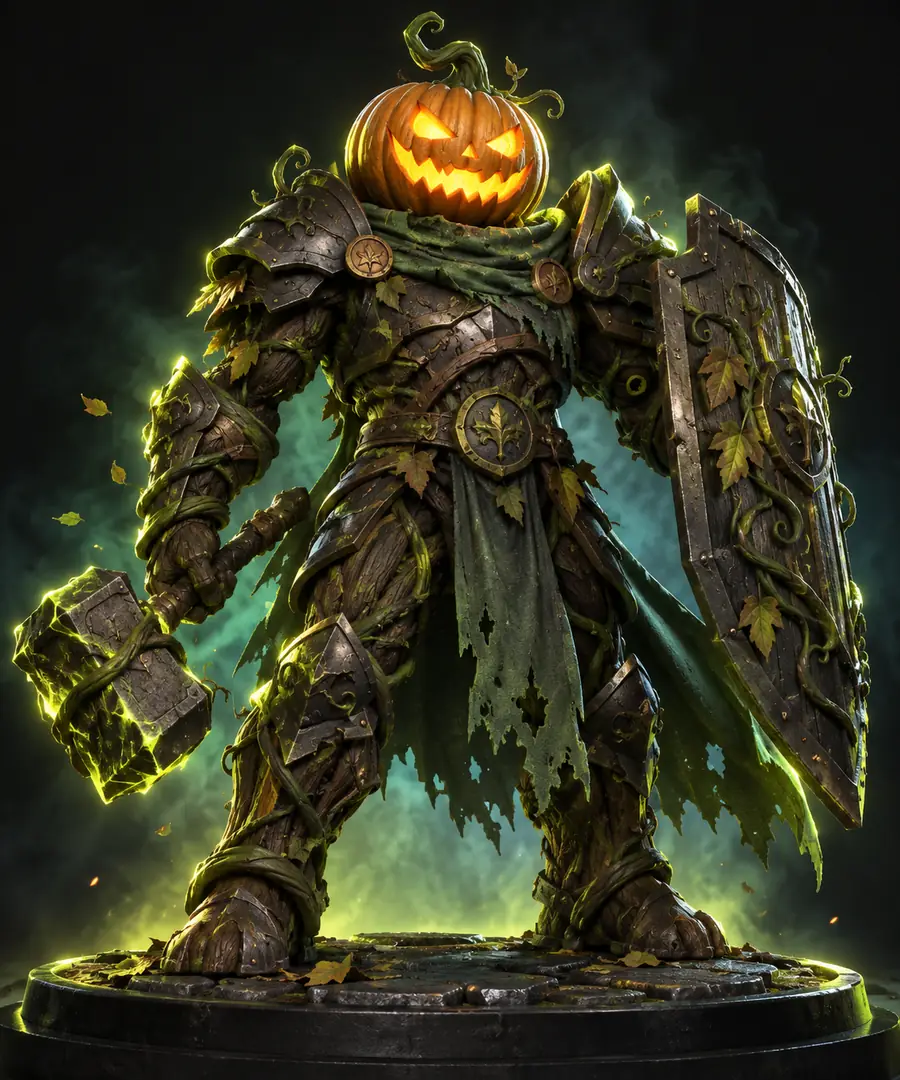
Block out a distinctive pumpkin guardian for an environment, then inspect the silhouette from every side. Meshy examples can help establish a direction before topology and materials are refined.

A character concept to evaluate for scale, readable limbs, texture consistency, and suitability for the game engine. For the wider production process, see is meshy ai good for 3d modeling.
is meshy ai good for 3d modeling

Miniature maker

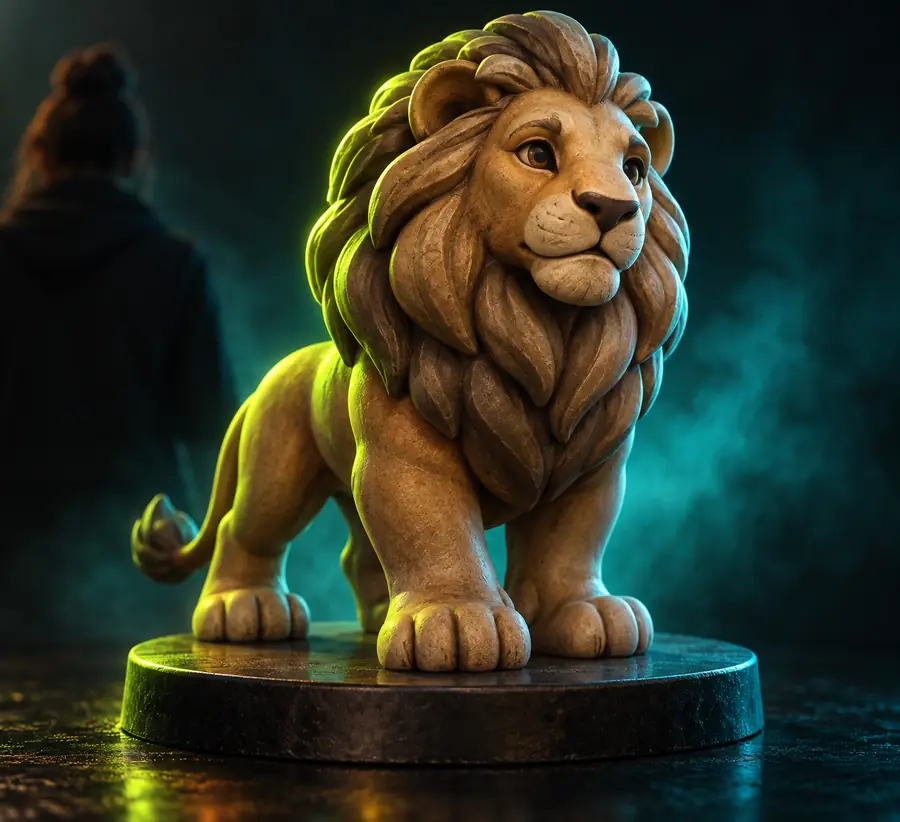
Try a small animal sculpture with broad paws and a stable base rather than thin, unsupported details. Check the mesh in a slicer instead of treating the render as proof it will print.

A candidate miniature that still needs wall-thickness, manifold, and support checks. The print-focused guide is is meshy ai good for 3d printing.

is meshy ai good for 3d printing

First-time creator

Begin with one recognizable object, such as a carved stone bust, and specify its shape and surface in plain language. Rotate the result to spot missing geometry before adding complexity.

A manageable first asset and a clearer sense of which prompt details affected the result. Follow meshy tutorial for beginners for a step-by-step starting workflow.

meshy tutorial for beginners

Inspect the process

Quality bar for a usable model

These workflows use illustrative asset types. The accompanying images show the kind of subject to inspect, not a verified record of a particular prompt and its output.

    • Pumpkin guardian character shown as a fantasy game-asset concept
      Game concept

      Character for a game scene

      A strong character example reads immediately at thumbnail size and remains coherent when rotated. Inspect the back, joints, and areas where clothing or armor meets the body. A polished front view can hide fused parts or awkward geometry that complicates animation.

      1. Describe the character’s silhouette, pose, materials, and key accessories.
      2. Rotate the model and check that the rear and side views match the front.
      3. Review topology, separate moving parts where needed, and test the asset at its intended scene scale.
      Try a character prompt
    • Rounded lion figure used to illustrate a sculptural miniature
      Physical object

      Small sculptural figure

      A miniature benefits from clear forms that survive reduction. Favor a stable stance and deliberate negative space around limbs or accessories. Meshy can supply a visual starting point, but a print attempt still depends on mesh repair and a slicer review.

      1. Describe the full figure, its base, and details that should remain legible at the intended size.
      2. Check for holes, intersecting surfaces, narrow connections, and unsupported overhangs.
      3. Repair the geometry and inspect the sliced layers before printing.
      Try a figure prompt
    • Gray stone philosopher bust illustrating a decorative 3D concept
      Visual concept

      Decorative stone object

      A bust or carved ornament is useful for testing whether a material description appears consistently across the object. Compare the face, edges, and rear surface rather than judging only the most flattering render. Simplify any detail that becomes noisy or obscures the main form.

      1. Name the subject, overall shape, carved details, and desired stone finish.
      2. Inspect the profile and back for unintended protrusions or missing surfaces.
      3. Adjust the mesh and material before placing it in a scene or showing it to a collaborator.
      Try a sculpture prompt

    Before you share

    Common rework before an asset is ready

    Expect to revisit vague silhouettes, uneven surface detail, fused accessories, or geometry that looks convincing only from one angle. A short, specific prompt makes the first result easier to assess; rotating and testing the model tells you what to change next. Use Meshyai to explore a direction, then verify the asset in the software or physical workflow where it will actually be used.

    Make the next example with its final use in mind

    • Inspect every side, not just the preview
    • Test the mesh for its intended destination
    • Revise the prompt when the main shape is wrong
    Create a 3D example

    Practical answers

    Scenario FAQ

    You can use Meshy to explore 3D characters, props, decorative objects, and other visual concepts from a description or reference. Treat the generated result as an asset to inspect and refine, especially if it must animate, print, or fit a production scene.

    Choose a single object with a clear silhouette, such as a pumpkin, bust, or simple animal figure. It is easier to tell whether the shape worked when the prompt names the subject, important details, and intended material without combining several unrelated ideas.

    A render alone cannot confirm that a model is ready for a game. Check its geometry, materials, scale, and views from all sides, then test it in your engine and revise anything that affects performance or movement.

    Not necessarily. Even a convincing sculpture preview may contain holes, fragile connections, or surfaces that do not form a printable solid. Inspect and repair the mesh, then review the sliced result before committing to a print.

    Start creating ↗
    Start creating ↗